For User Guide for Postcode Formatter / Validator please visit https://cartmart.uk/postcodezip-formatter-validator-p-17.html
Postcode Shipping User Guide
Cautions
If you read nothing else, read these to save angst later
This module throws quote errors
- what does this mean? there are likely to be circumstances where it cannot provide a shipping charge and in these it will return a quote with the error parameter set. Circumstances could be postcode not recognised (though you can set a default for this one), minimum order value not met, no charge band for the postcode area (means you don't offer shipping to here) or inconsistencies in the postcode and bands data.
- why would I worry? on core versions before 1.0.9.9, if there are no valid shipping quotes the customer can check out without choosing a shipping method! This could leave you chasing shipping costs afterwards or having to refund orders you can't fulfil. Make sure you set the module option Redirect No Shipping on earlier core versions so that if this module is selected but in error, the customer is redirected back to checkout_shipping
- when errors are handled properly, the customer can see why a quote isn't provided and deal with it if within their control (increase order value, check postcode is correct etc)
Store Country Only
The module was designed with the assumption that the country for which you want to set up postcode shipping is the store country. If you have a different requirement please contact me to discuss how easy it is to support.
How The Charge to a Postcode is Determined
Pricing Strategy
First you need to decide a pricing strategy. Do you want to charge based on how much it costs you (weight basis) or on how much the customer is spending (price basis)?
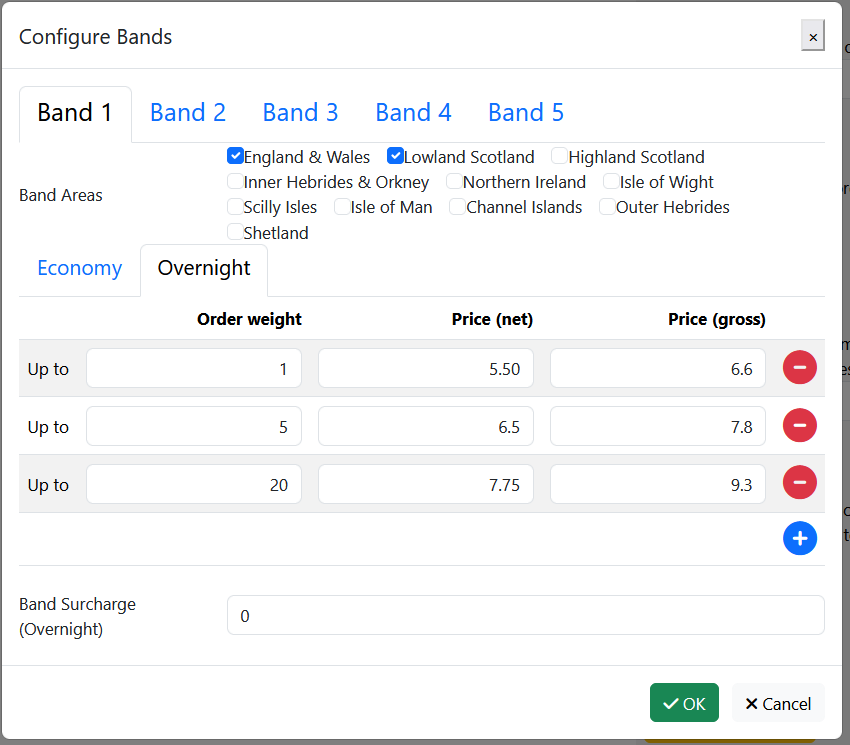
- weight basis means the customer spends more on shipping the more stuff they buy. It needs all the weights setting up for your products and is less transparent for your customers, but if prices are set properly you ensure your margins are as expected from the product pricing. Typically the total price depends not only on the total weight but also the calculated number of boxes.
- price basis is usually set up so that customers pay shipping on smaller orders but get it free over a certain spend. This can be used to drive bigger carts and there is a lower abandonment rate at the shipping stage. However you need to make sure that the overall margin on your orders is viable.
- how a rate table works: the module reads through the table from low to high, stopping when the value in the table row is higher than the value in the order. This means that on a weight basis table the last row of the table will be the maximum weight of a parcel that you can ship, while on a value based table (where the last row usually represents free shipping over the value of the previous row) the row value should be set much higher than the maximum order value you are likely to ship.
Postcode Basis
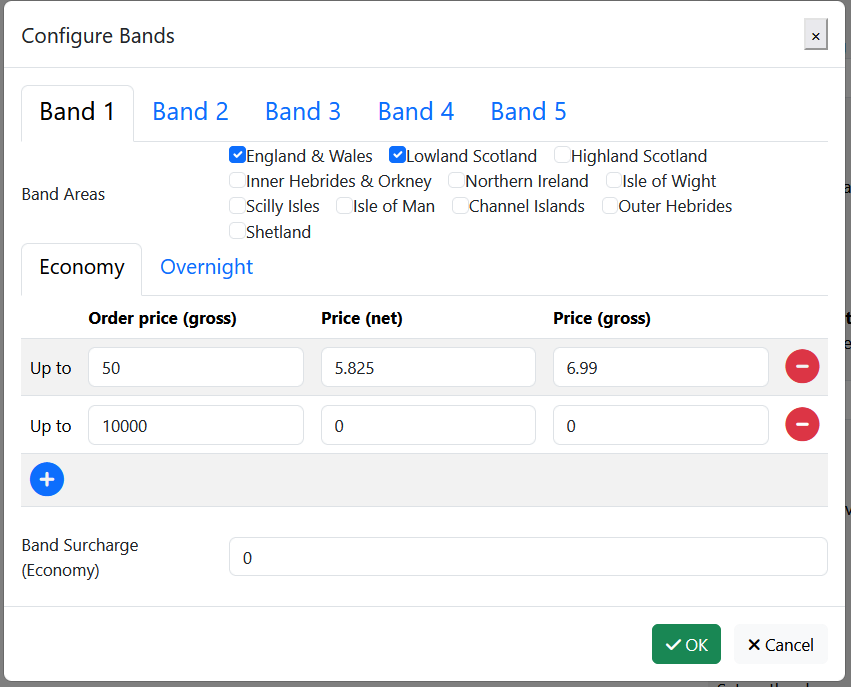
The postcodes are grouped together into geographical areas - making two additional database tables. The module groups together geographical areas into charge bands. You set up a pricing table for each band and you don't have to include every area in a band.
Service Basis
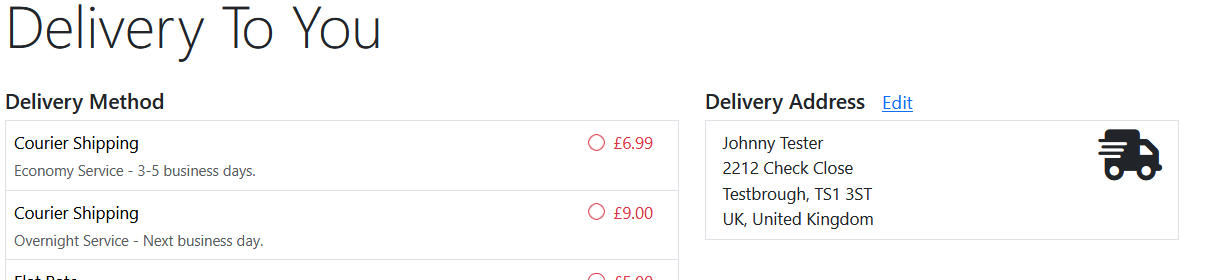
You can set up multiple services in the same module (e.g. economy and express). Each service will use the same bands but have its own pricing table for each band. You can use this to set up two different couriers in the same module. If you want help figuring out how best to do that, please ask.
UK Example
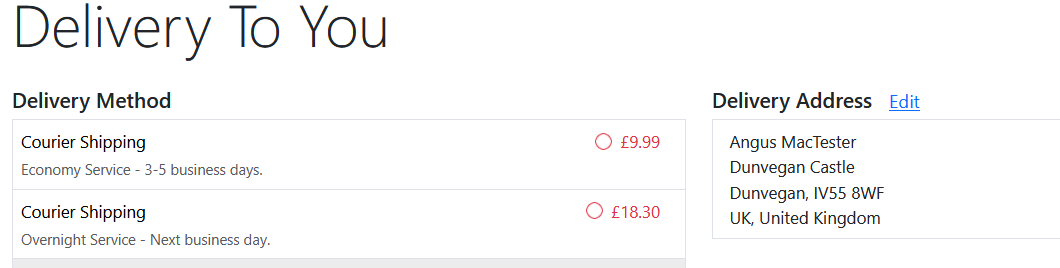
UK couriers charge the same rates to all of mainland England, Wales and (mostly) lowland Scotland. More is charged for highland Scotland, islands around Britain, Northern Ireland.
Default areas are set up as
- England & Wales
- Lowland Scotland
- Highland Scotland
- Inner Hebrides & Orkney
- Northern Ireland
- Isle of Wight
- Scilly Isles
- Isle of Man
- Channel Islands
- Outer Hebrides
- Shetland
Important - if you are VAT registered, 8 & 9 are not technically in UK but are Crown Dependencies (in the British Isles) with export requirements. The module only calculates shipping prices and relies on the correct country being set in the address (i.e. not United Kingdom but Isle of Man or Jersey).
If you don't ship to a given area, simply don't add it to a charge band in the settings.
Settings
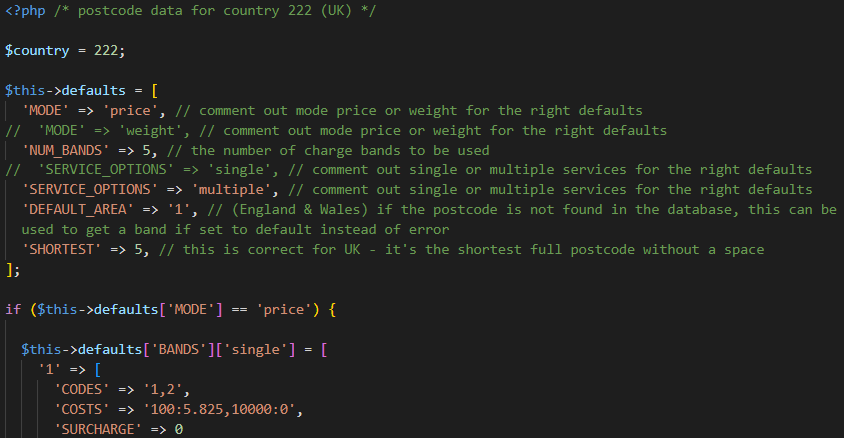
Some of the other settings affect what is displayed in the pop-up Configure Bands (and in the hidden fields which it updates) - they are all above the Configure Bands button. If you change any of these, you should save the settings and open Edit again before making any changes in the pop-up:
- Number of bands
- Tax Class
- Table Basis
- Service Options
When using multiple services, they also need to be set up in the language file before you start using the pop-up:
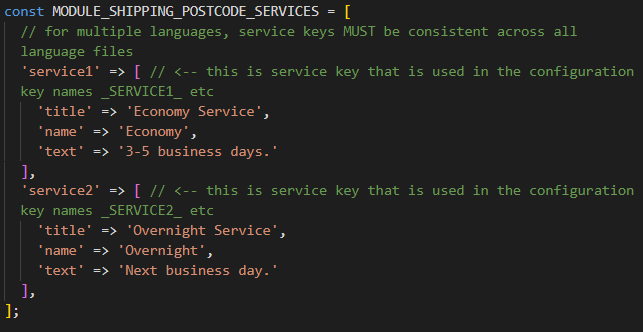
If you change anything in the pop-up, remember that it doesn't get saved when you OK the dialog box but not until the settings are saved (at the bottom).
Some of the settings are less than immediately obvious;
Display delivery weight
Only applies if charging by weight, in which case you can include the weight in the quote text.
Display weight split
If displaying weight, you can also show the split e.g. 3 x 14kg
Handling Fee
As well as the surcharge settings for each band, there is this handling fee setting which will add a charge for any band.
Module Box Split and Max Box Weight
Sometimes a site has multiple shipping methods. These settings make this module independent of the core box split calculation so that you can set a different maximum weight per box for this module and perform a separate calculation.
Show Free Over
When you have set a Free Over amount for a band and the order qualifies, this settings adds text to the end of the quote text highlighting “Free over $N”
Show Spend More
When you have set a Free Over amount for a band and the order doesn't qualify, this settings adds text to the end of the quote text “Spend $n more for free shipping”
On Not Found and Default Area
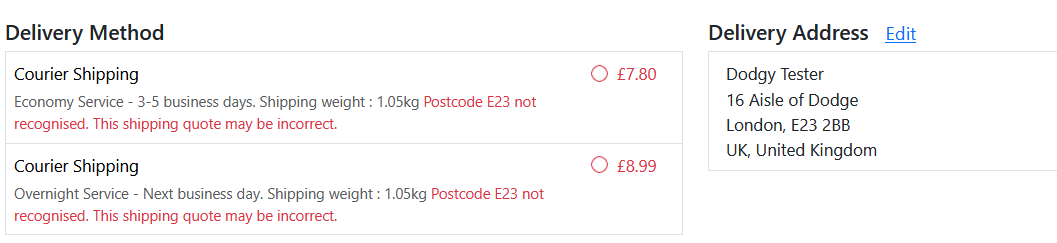
On Not Found controls what should happen when the entered postcode isn't found in the database (which could be an input error or a deficiency in the data). Setting to Default then uses the value of Default Area to choose a band for calculating the charge. The quote text includes a warning that the quote may be incorrect. The customer will be able to check out and you can always hit them up for more later if they actually live somewhere else. Setting it to Error will stop them using this module altogether and if there's no alternative will prevent checkout.
Redirect No Shipping
On all unedited core versions from oscommerce 2.2 through osc234BS and Phoenix up to 1.0.9.9 it was possible for a customer to check out without choosing any shipping if no methods are offered on checkout_shipping. If postcode shipping is the only module you are using, because there are circumstances where it can't calculate the shipping and so returns an error then on versions before 1.0.9.9 we need to ensure that the customer can't check out with this module if it's in error. There is a hook which will be checked on checkout_payment and redirect the customer to checkout_shipping in these circumstances.